Back
BackStep 2. COVER
Seo block
Setting up “WHERE TO GET THE COVER” setting may seem complicated at first glance, but it's actually quite simple! My configurator will help you choose the best option. All you need to do is decide on the source of the cover, taking into account different situations and needs. Let's take a look at the available options!
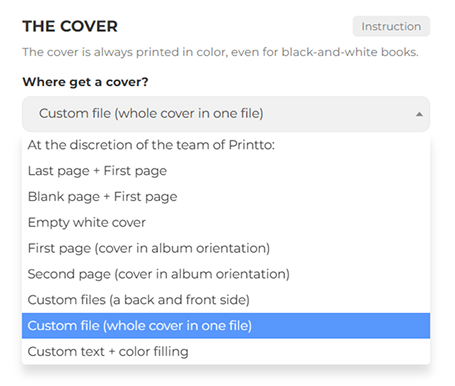
The “Where to get the cover” setting offers several options for different situations:
- Last page + First page. The first and last pages of your file are used for the cover.
- Blank page + First page. The first page of the file is used, and the back cover remains blank.
- First page (landscape orientation). The cover is on the first page of your file in landscape orientation, with front and back.
- Second page (landscape orientation). Similar to the previous option, but the second page is used.
- Your files (back and front). You upload two separate files for the covers (formats: PDF, PNG, JPG).
- Your files (cover in one file). You upload a single file with a continuous cover for the front and back (formats: PDF, PNG, JPG).
Any selected option is immediately displayed in the preview window on the left.
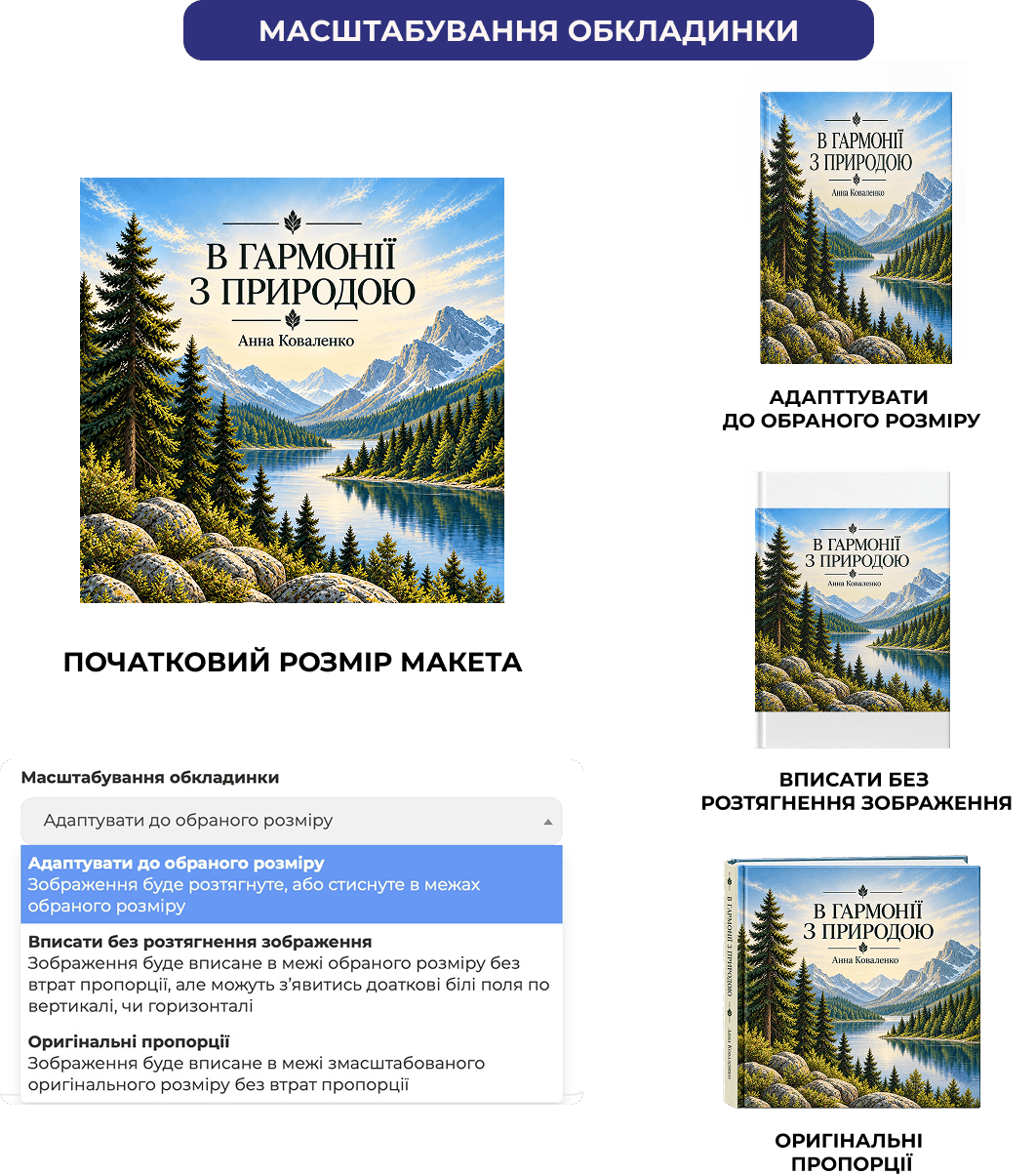
Cover Scaling
The cover is the face of the book, so it’s crucial to maintain balance and composition. Everything is usually visible on the cover: the title, the author’s name, logos, photos, or frames—all of which should look harmonious and extend all the way to the edge.
- If you select “Adapt to Selected Size” the cover will fill the entire space without any white margins. This is convenient, but if the proportions of the layout and the print format don’t match, some details may become slightly stretched.
- The “Fit Without Stretching” option will preserve all the design’s proportions. The cover will resize evenly, but if its dimensions differ from the book’s format, white margins may appear on the sides. If you have a solid-color background, you should take this into account right away.
- The “Original Proportions” mode is ideal when the aspect ratio cannot be changed at all. It’s a lifesaver for complex custom designs where every element is calibrated to the millimeter and sits precisely in its place.
The cost for the original size is higher than that of the suggested formats.
ADDITIONAL SERVICES
- Adding text to the spine (available if the book is at least 10 mm thick).
- Filling the spine of the book.
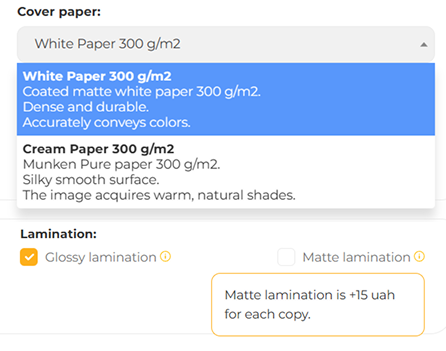
COVER PAPER
- Coated matte paper, 300 g/m².
- Cream Munken Pure paper, 300 g/m². (description needed)
LAMINATION
All covers must be laminated.
- Glossy — default. Practical, shiny, leaves almost no scratches or marks.
- Matte — +15 UAH per copy. Stylish and attractive, but less practical: scratches and marks are more noticeable.
Blog slider
similar articles


2026-09-09