Back
BackHow to order book printing on the Printto website
Seo block
1. Step 1: Home page
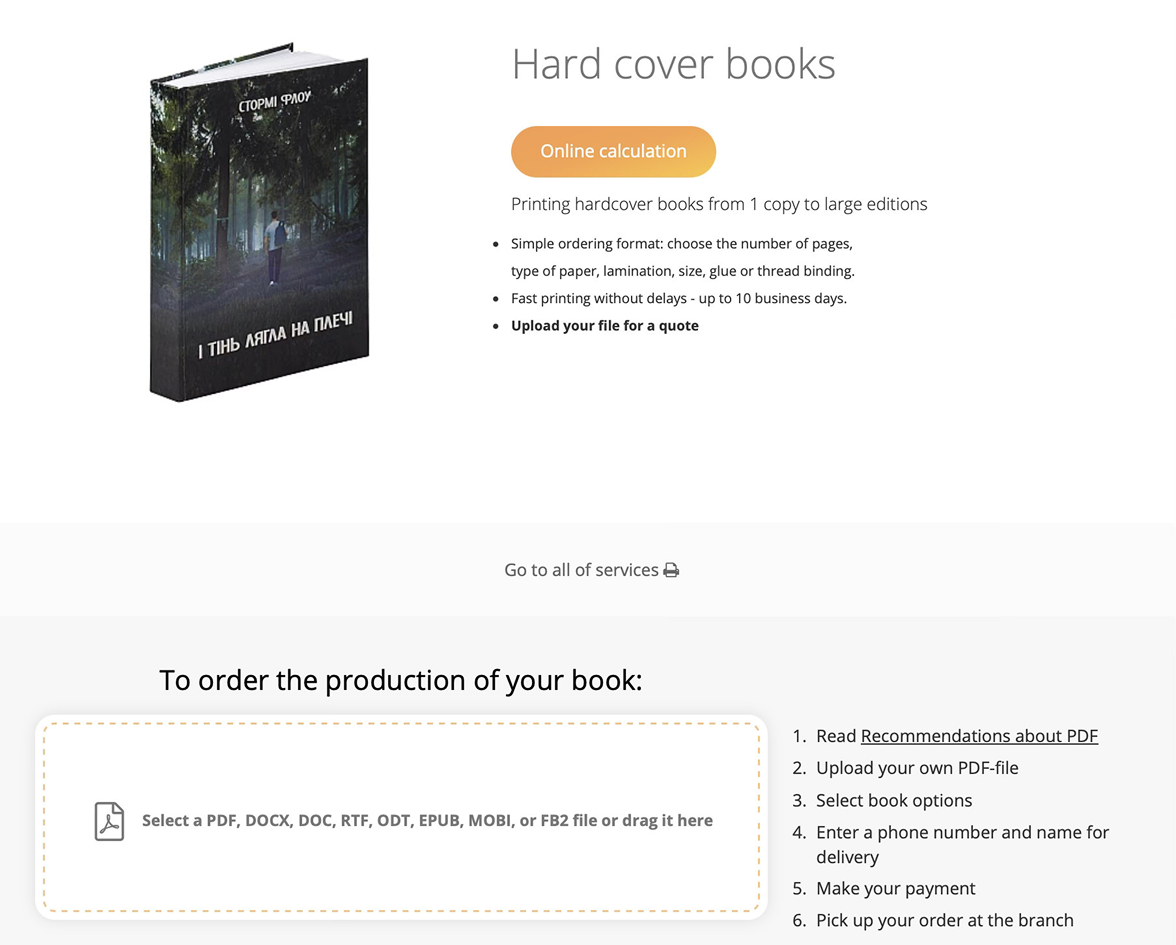
When you go to printto.ua, you will be taken directly to the home page. You don't need to search for anything else — this is where the journey to your finished book begins.
Scroll down a little and you will see a special window where you can upload your file. Click on “select file” to find the PDF on your device, or simply drag and drop it there.
2. Step 2: settings
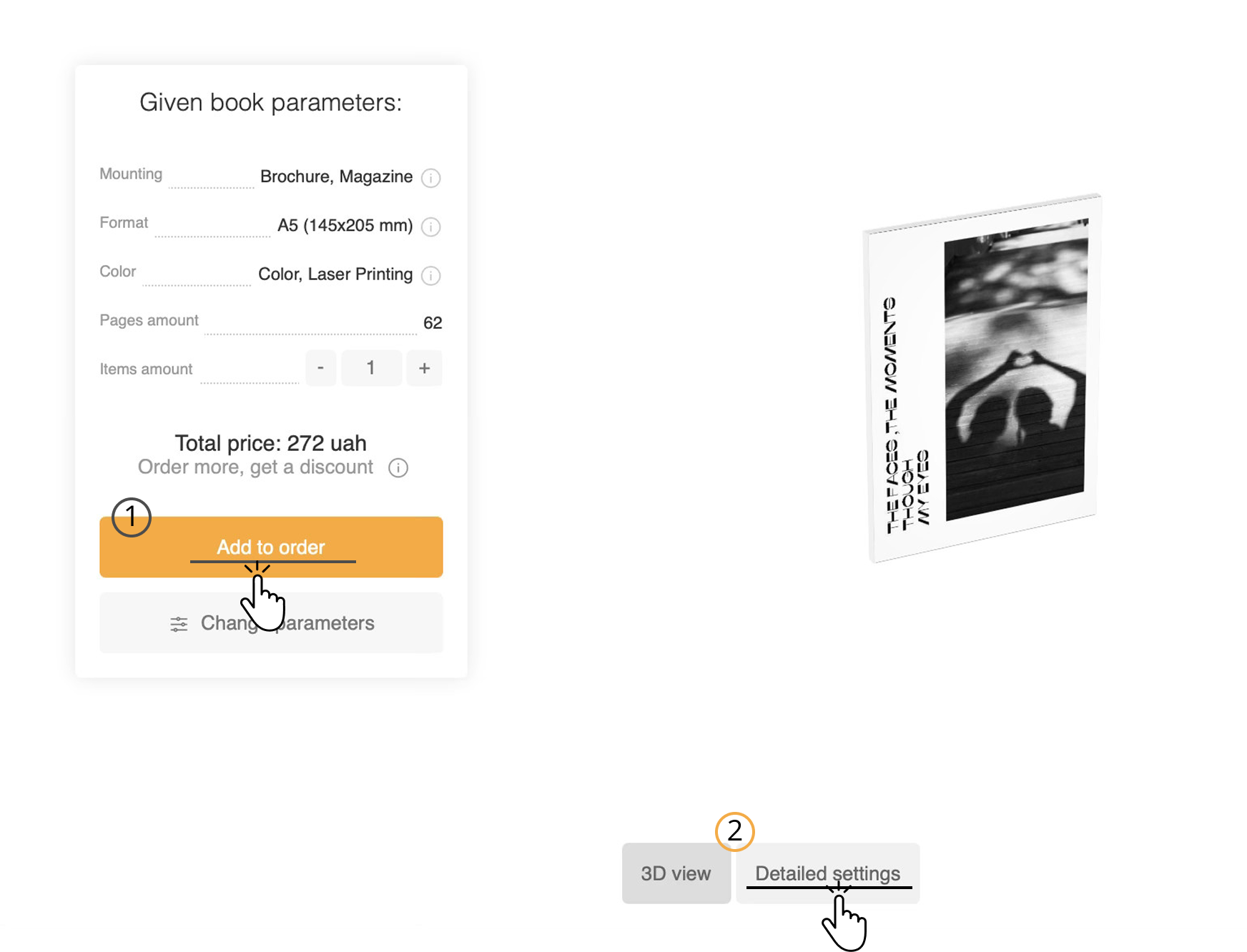
Once the file has been uploaded, Printto will offer you:
- Specific settings for your file, where you can change the number of copies and immediately “Add to order.”
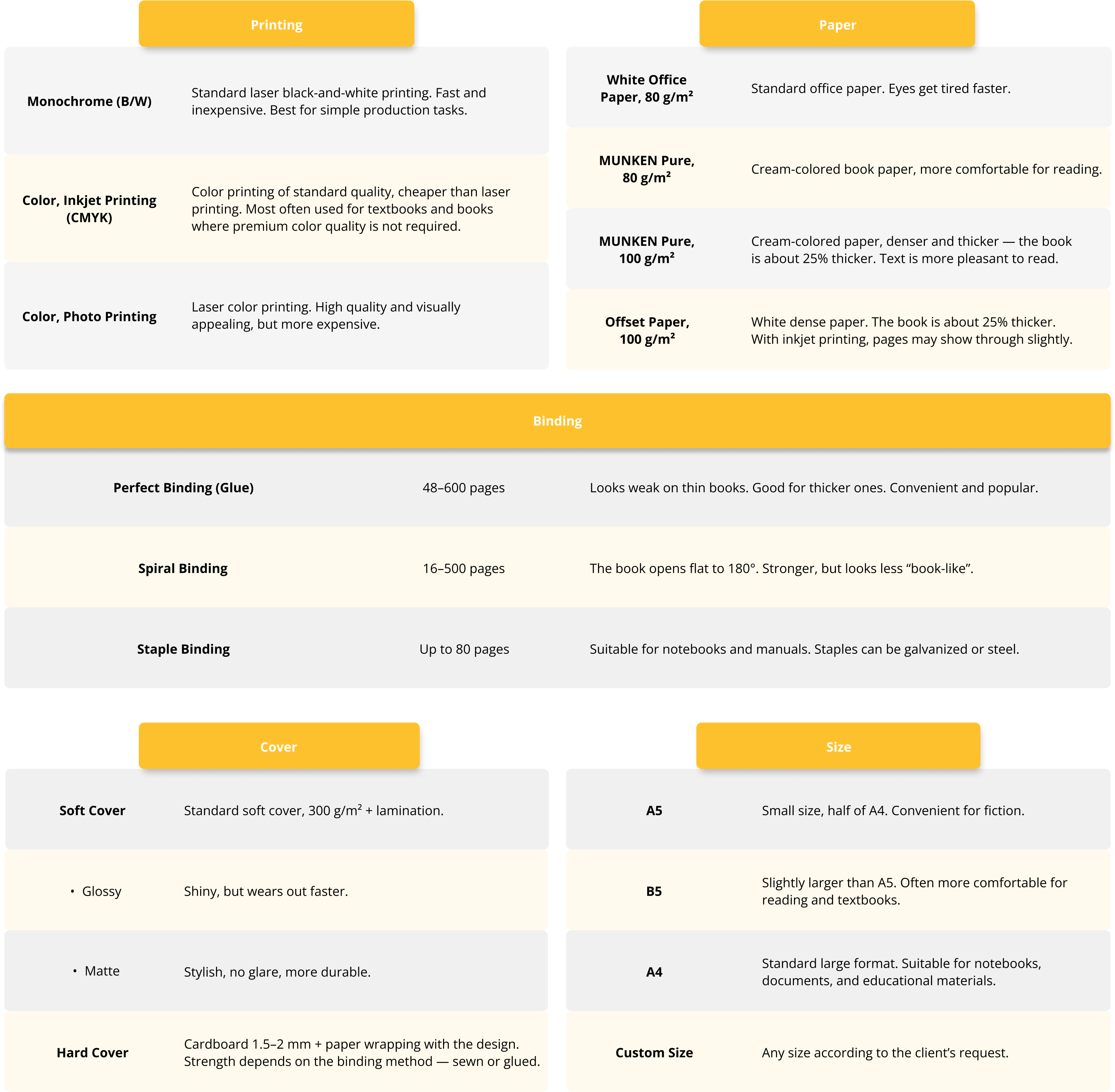
- Go to the detailed settings for your book. Select the type of cover, format, print color, size, lamination, or lamination (we will add a cheat sheet at the end).
What's more, you will see a 3D view of your book. This is very convenient for a detailed understanding of what it will look like.
Under the layout, you can select the “detailed settings” function and go to another menu.
3. Step 3: detailed settings
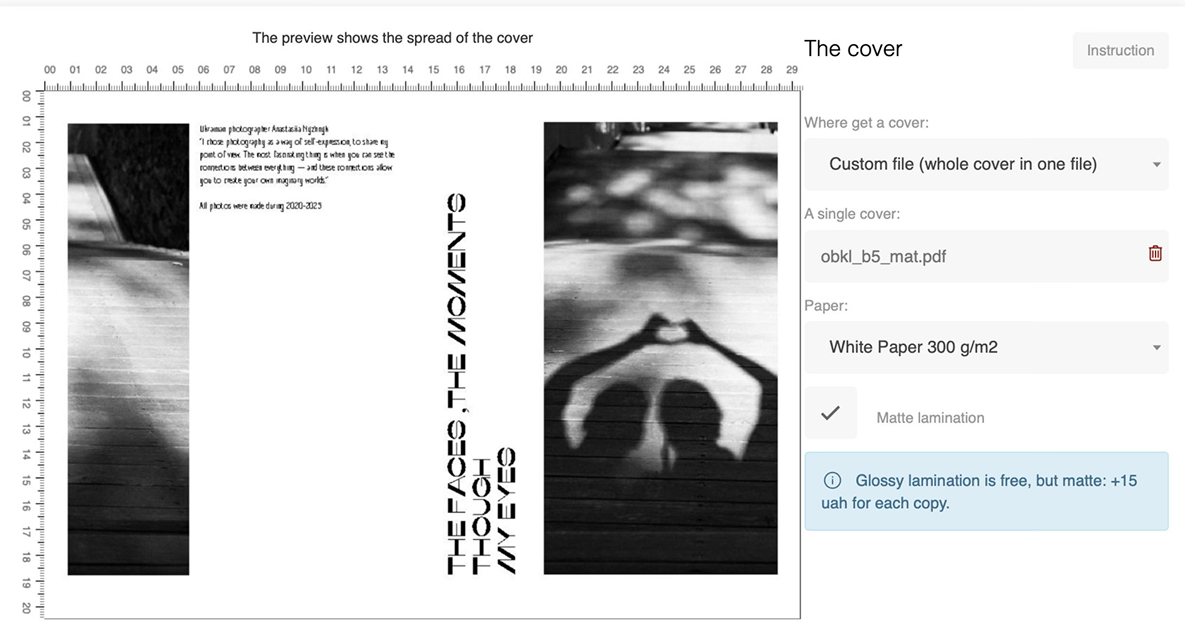
In this menu, in addition to the basic settings, you can add:
- printing on the flyleaf;
- spine filling;
- matte lamination.
The cost for each individual option is immediately visible during checkout, so there are no surprises.
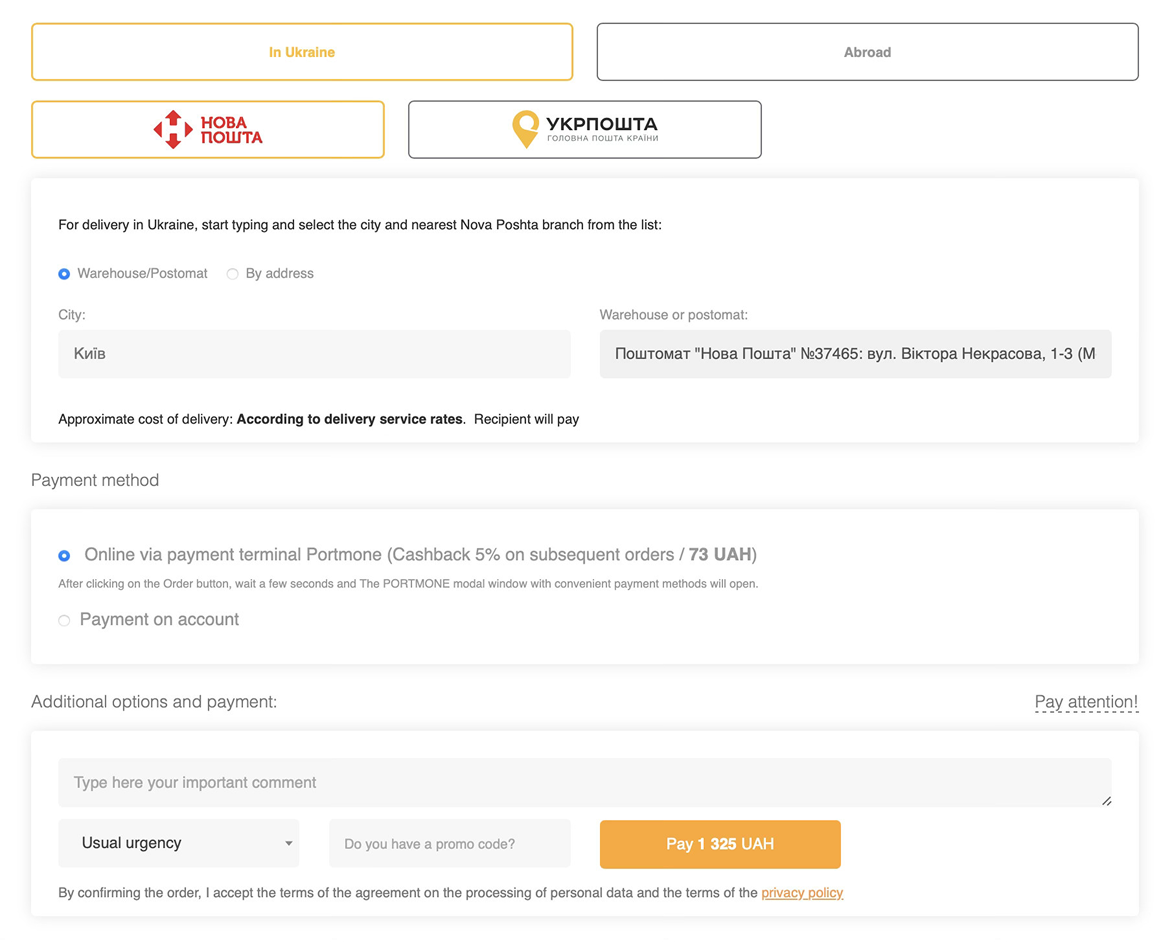
4. Step 4: Place your order
Once you have selected all the parameters, click on the orange “Order printing” button at the bottom.
The final step is to place your order. You will need to enter your personal details
- full name,
- mobile phone number,
- email address,
- and select your address and delivery service (Nova Poshta or Ukrposhta).
By the way, for orders over 1000 UAH, delivery by Ukrposhta is at our expense. For Nova Poshta, delivery is free for orders over 2000 UAH. In other cases, delivery is paid according to the carrier's rates.
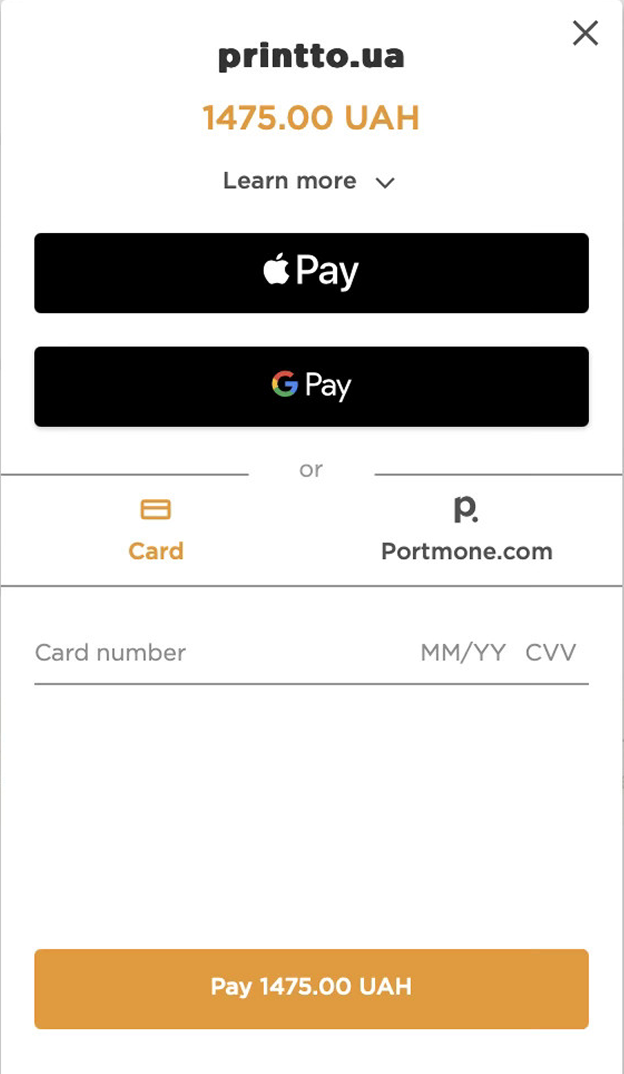
5. Step 5: Payment
The procedure is fairly standard — you can pay with any card by entering its number, expiration date, and CVV. You can also do this via Google Pay/Apple Pay.
That's it — the details will be sent to your email, and you can pick up your books at the specified pickup point.
6. Cheat sheet (additional information)
Blog slider
similar articles